Tuner
A standard chromatic tuner that listens for whatever string you're playing, covers far more than standard EADGBE, and can nudge itself so chords ring truer — the tool you'll open more than anything else in the app.
Tuner is the app's most-used tool, which is exactly why it gets its own permanent tab instead of living inside Practice. You'll open it constantly — before a session, between songs, mid-song if something drifted — and it needs to be one tap away every time, not buried two screens deep. Underneath, it's a chromatic tuner: point it at a string, it tells you what note it heard and how close you are.
Reading the tuner
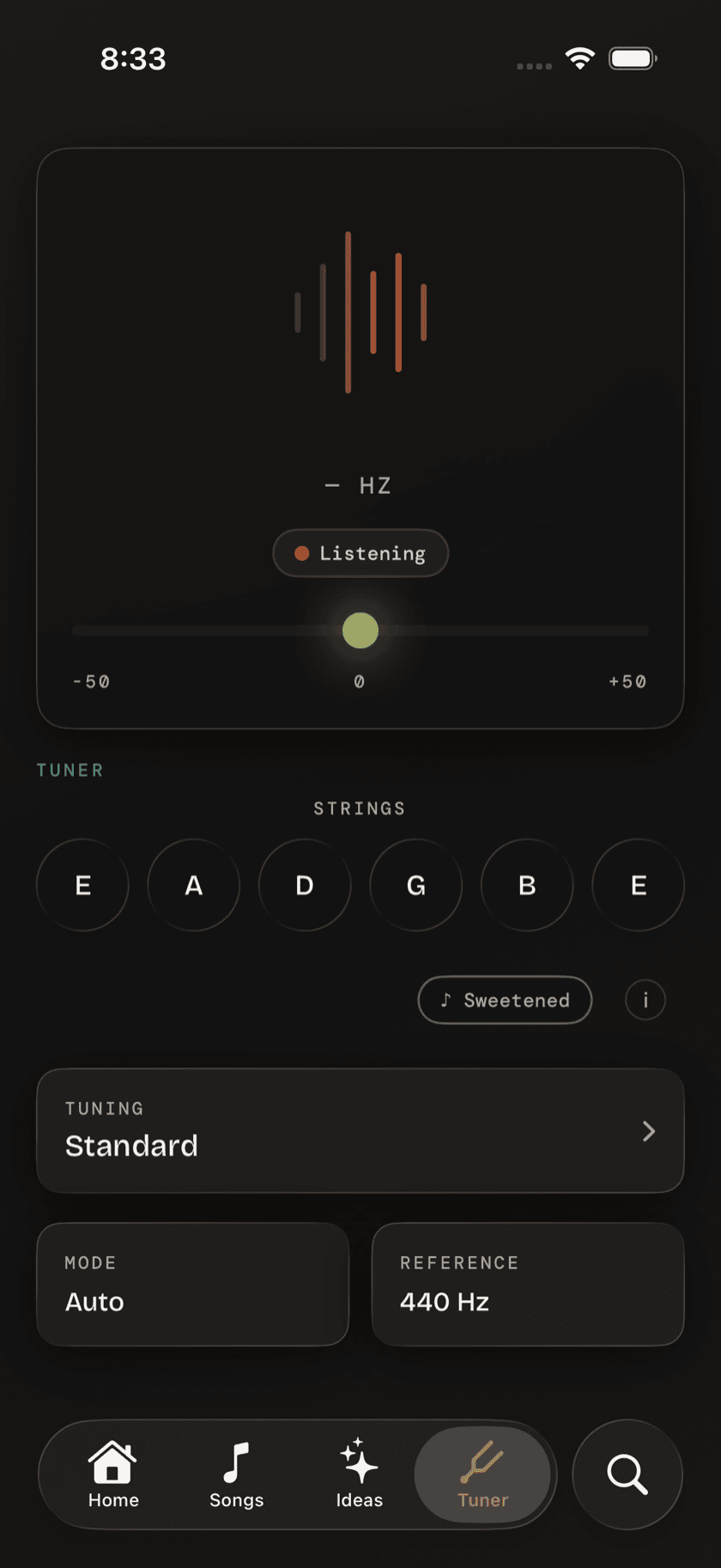
A big letter fills the middle of the screen — the note Tuner hears, large enough to read at arm's length. Underneath it, a pitch meter shows how many cents sharp or flat you are, and it turns solid green the moment you land in tune, so you're checking a color instead of squinting at a needle. The string you're currently sounding highlights itself as it's detected, so you always know which one the app thinks you're playing.
Auto and manual string mode
By default, Tuner listens to whatever you play and figures out the string on its own — pluck any of the six and it identifies the note without you telling it which one to expect. That's the mode you'll use almost all the time. But pitch detection has to guess in a noisy room, and a TV, a second guitar, or a conversation nearby can throw that guess off. Tap a specific string letter to lock Tuner onto it: it stops guessing and listens only for that one note, which holds up a lot better when the room isn't quiet.
Tuning presets
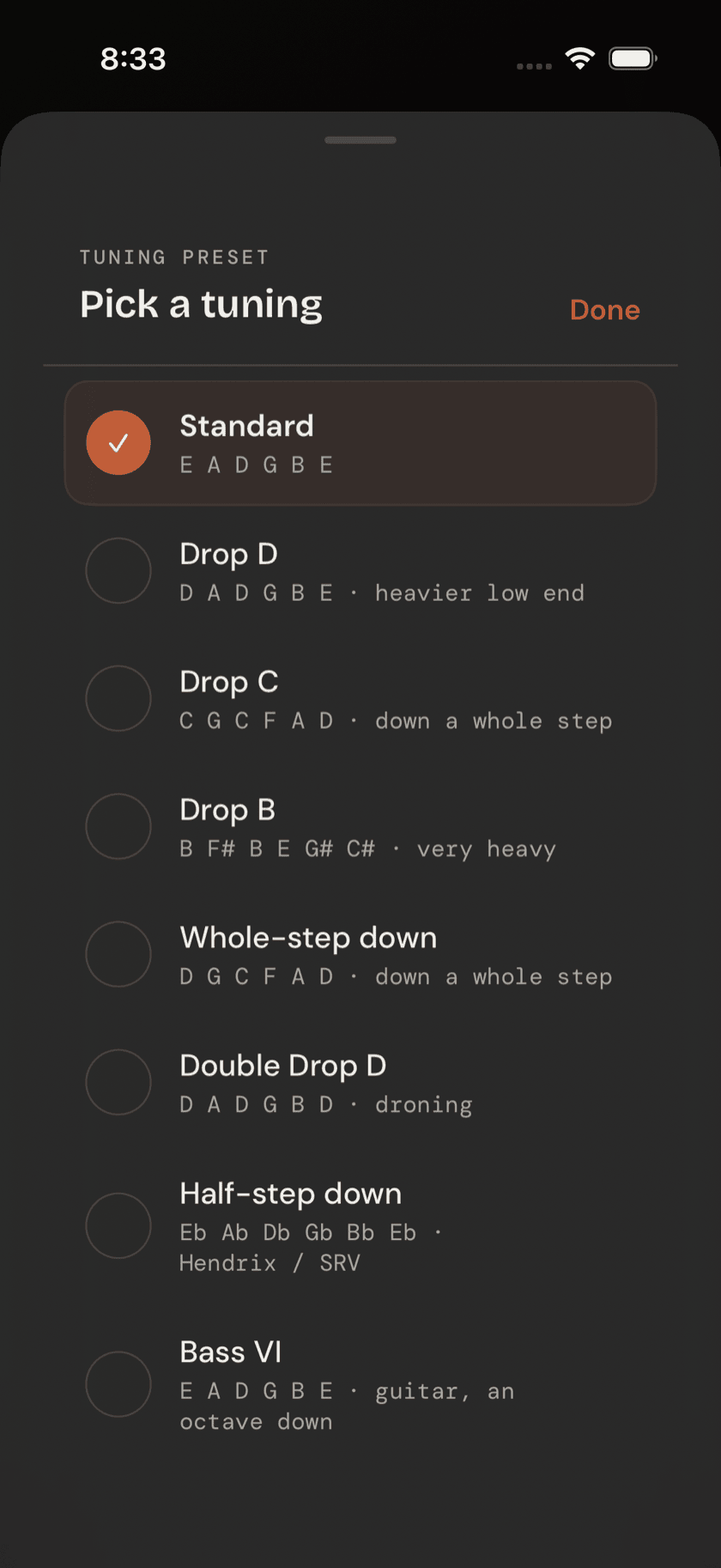
Standard EADGBE is the default, not the limit. A large built-in library covers a lot more ground:
- Drop tunings — drop D, drop C
- Down-tuned standard — half-step down, whole-step down
- Open tunings — open G, open D, open E, open C, open A
- DADGAD, plus a handful of other specialty tunings
- Other instruments — ukulele, mandolin, bass VI, baritone guitar
Pick one from the list and every string relabels and retargets to match it. No manual math, no guessing what the fifth string is supposed to read now that you're in drop C.
Custom tuning editor
Not every tuning is in the list. If you're chasing something from a recording, or a tuning you came up with yourself, the custom editor lets you set any note and octave, per string, by hand. Save it and it behaves exactly like a built-in preset from then on — pick it from the same menu, tune to it the same way.
Sweetened tuning
A second toggle shows up only when you're in standard tuning: sweetened tuning. Turn it on and Tuner applies a set of tiny per-string offsets — on most guitars, the B and high E strings get nudged slightly flat — so chords ring truer across the whole neck, not just when you're strumming open position down at the nut.
the frets on a guitar are a compromise. Equal temperament makes every key playable on the same instrument, but it means no chord is ever perfectly in tune — just close enough that most people don't notice. Sweetened tuning corrects for the spot where that compromise is most audible: full-neck major chords. It doesn't change what Tuner calls "in tune." It just moves the target a few cents.
Reference pitch
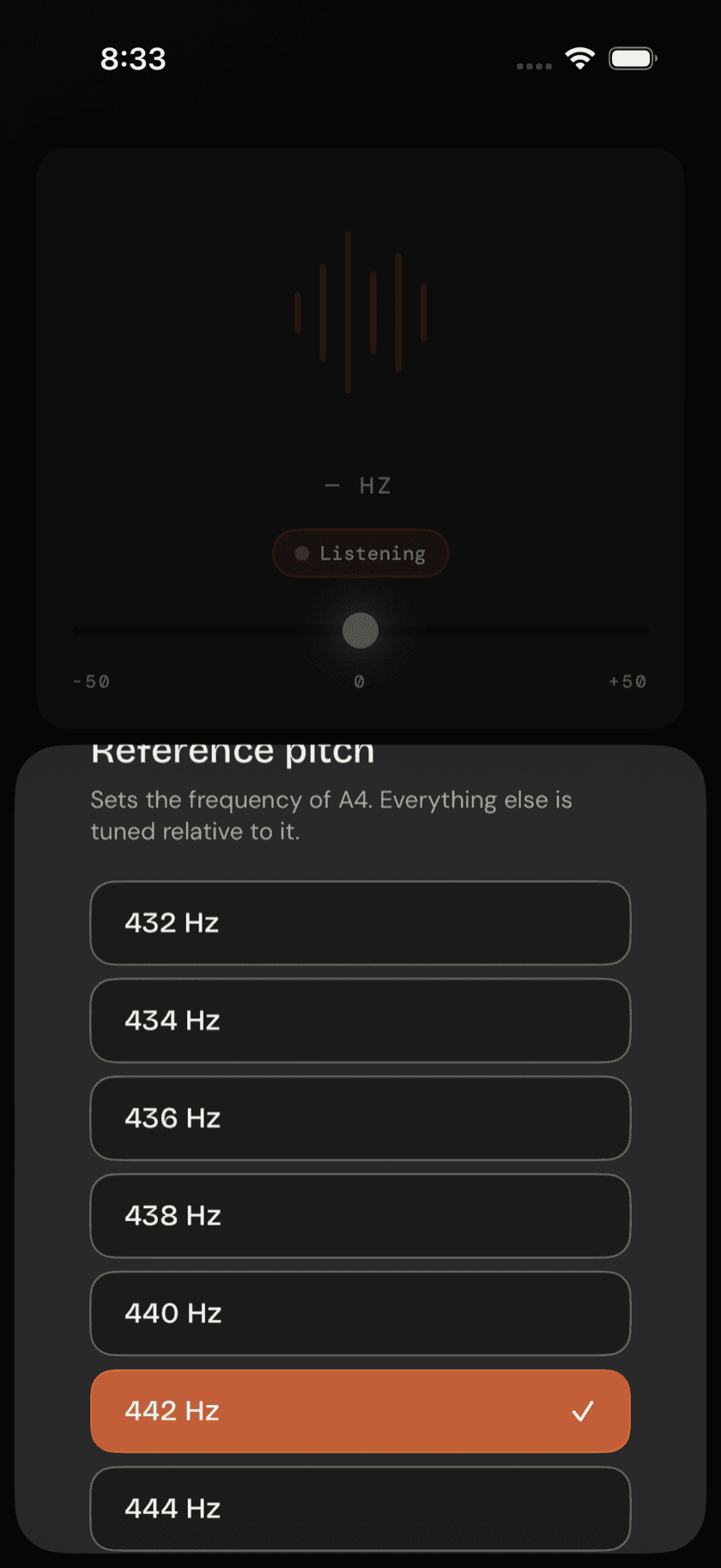
By default, the A above middle C is tuned to 440 Hz — the standard modern reference pitch. If you're matching a piano, playing along with a recording, or tuning with a group that runs a little different, adjust the reference right there in Tuner — 432 to 444 Hz, in 2 Hz steps. Change it once and every string, in every tuning, retargets around the new reference.