Guitar Buddha Everywhere
Guitar Buddha isn't only an iPhone app — it runs on iPad and Mac, ships as a standalone Apple Watch app, and adds a Home Screen widget for the times you don't want to open it at all.
Everything else in this guide describes the iPhone app, but the iPhone isn't the only place Guitar Buddha lives. iPad and Mac get native versions with the same tools, laid out for a bigger screen. Apple Watch gets its own stripped-down app built for glancing at your wrist mid-song. And a Home Screen widget skips the app entirely for the one or two things you reach for constantly. None of this is a preview or a "coming soon" — all of it ships today.
iPad
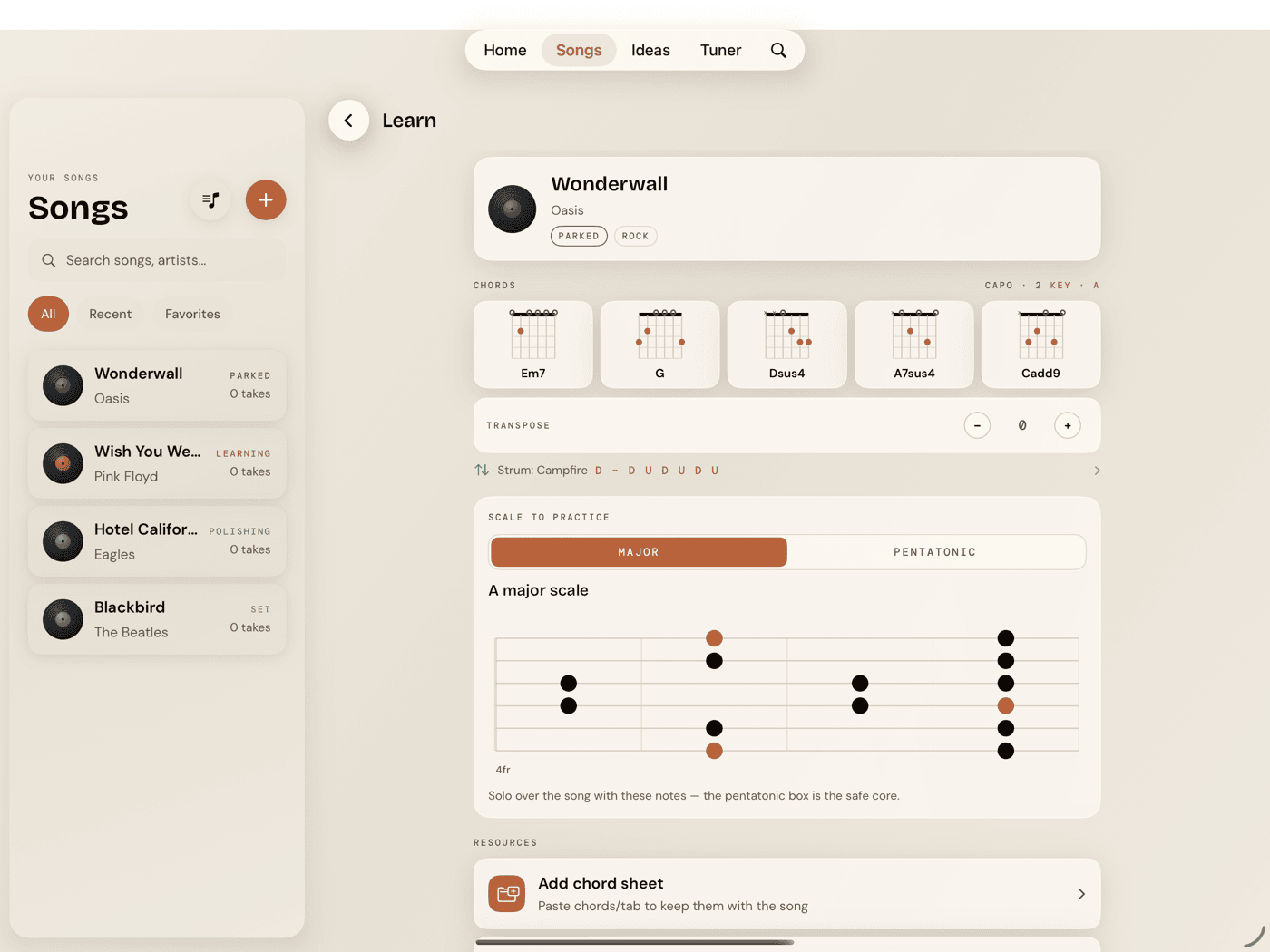
The iPad app is the same app — same four tabs, same Practice Hub, same tuner, same catalog. What changes is the layout, because an iPad has room an iPhone doesn't, and three things take advantage of it.
Songs and Ideas become a split view: the library list stays put as a permanent sidebar on the left, while whatever you've selected shows its full detail on the right. On iPhone, tapping an item pushes you forward and back brings you out. On iPad, both are just always there at once.
The grids widen too. Home's four action cards sit in a single row instead of stacking 2×2. The Practice Hub's tool grid goes to three columns instead of two. The chord and scale library grids fit more columns automatically, however much width the screen gives them.
Jam's landscape Performance Mode works the same way it does on iPhone — rotate to landscape and the full-band view takes over the screen.
iPad adds one thing iPhone doesn't have here — an explicit back-chevron button to exit Performance Mode. On iPhone, rotating back to portrait exits it. iPad doesn't have a reliable version of that gesture, so there's a button instead.
Apple Watch
Guitar Buddha's Apple Watch app is a separate, fully standalone watchOS app — it works without the iPhone app installed or nearby. Nothing to pair, nothing to sync.
Three pages, swiped through horizontally:
- Metronome — a big BPM readout, set with the Digital Crown or ±5 buttons, a four-beat dot pulse, and play/stop.
- Tuner — auto-detects which string you're playing. Standard tuning only; there's no alternate-tuning picker or manual string-lock on the Watch.
- Chords — one chord at a time: name, diagram, and a Strum button that plays it through the Watch speaker. Page through the same chord catalog as the phone with the Crown.
It's a deliberately stripped-down app — a glance-at-your-wrist subset, not a smaller copy of the phone app. No scale library, no drills, no recording. Those all assume a screen bigger than your wrist and a free hand you don't have while you're playing.
Home Screen widget
A small widget or a medium one, for whichever fits your Home Screen — either gets you into the app one tap faster. The small widget is a single tap target end to end: touch it anywhere and it opens straight into the Tuner, the tool you'll reach for the most. The medium widget breaks that into three separate buttons — Tune, Metronome, Jam — each dropping you directly into that tool, no stop at Home first.
Mac
Guitar Buddha for Mac is a native app, not a stretched iPad build, and it's already had point updates since launch — not a first release still waiting on review.
The tab bar is gone, replaced by a sidebar split into two groups: Library (Home, Songs, Ideas) and Play (Jam, Practice, Tuner, Search). The one real behavioral difference sits inside that Play group — on iPhone and iPad, Jam takes over the whole screen as a full-screen cover; on Mac it's a normal sidebar destination, and you click into and out of it exactly like you would Songs or Practice.
A real Mac menu bar comes with it. File ▸ Learn a Song… (⌘N) and File ▸ Capture Idea… (⇧⌘N) drop you straight into those flows without touching the sidebar. A View menu lists all six destinations with ⌘1 through ⌘6, plus ⌘F for Search from anywhere in the app.